


Save 70% on Coordinators: Multi Location Operations for Home Care


Multi-location operations is the discipline of running the same standards, staffing, and reporting across every site a business owns. The goal is consistent execution paired with unified visibility, so headquarters sees what is actually happening, not what a weekly email claims happened. The single most important move: designate one system of record for daily execution and verification before adding any other tool or process.
TL;DR:
Digitizing checklists and inspections reduces operational errors by approximately 75 percent and enhances site-level decision-making.
Centralizing one system of record for tasks, audits, and reporting is essential before implementing additional tools or processes.
Managing inventory with location-specific forecasts, reorder points, and transfer thresholds minimizes overspending and stockouts across sites.
Rolling out multi-location operations should follow a phased approach, starting with a pilot, expanding regionally, and then scaling network-wide.
Outsourcing command center functions can cut costs by around 70 percent compared to in-house staffing while providing continuous coverage and documented support.
Table of Contents
Why Multi-Location Operations Matter for Growing Businesses
Consistency is the product. A customer who gets a great experience at Location A and a mediocre one at Location B stops trusting the brand entirely, regardless of how good Location A really is. Centralized operations shorten decision cycles because managers stop waiting on someone to manually compile numbers from five different spreadsheets, and they cut waste in both inventory and labor by matching supply to actual site-level demand instead of a company-wide average.
The cost of skipping this work is measurable. Businesses that digitize checklists and inspections report roughly 75% fewer operational errors after adoption, along with meaningful productivity gains. That gap between businesses that verify work and businesses that hope work got done is where margin quietly disappears.
Scale compounds the problem fast. Every new site multiplies the volume of data, tasks, and exceptions that need review, and operators who delay automation tend to make slower decisions and miss issues that a single-site business would have caught by walking the floor.
What Blocks Consistent Execution Across Multiple Sites
Most multi-location businesses hit the same five walls, usually in this order as they grow past three or four sites.
Fragmented tools and data silos. Scheduling lives in one app, inventory in another, and reporting in a spreadsheet nobody updates on time.
Undocumented or inconsistent SOPs. Tribal knowledge replaces written procedure, so quality depends on which manager happens to be working that shift.
Slow or manual reporting. By the time a regional leader sees last week’s numbers, the problem that caused them has already repeated three more times.
Uneven staffing and management capability. Some site leads run a tight operation; others are still learning to read a P&L, and the network’s results reflect the weakest link.
Inventory imbalances and transfer friction. One location sits on excess stock while another stockouts on the same SKU, and nobody notices until a customer complains.
Each of these is fixable on its own, but they tend to reinforce each other. Fragmented tools make SOPs harder to enforce, and inconsistent SOPs make reporting noisy, and noisy reporting hides the inventory problem until it’s expensive.
Seven Prioritized Strategies for Streamlining Multi-Location Operations
This is the order that produces results fastest, based on how operations execution actually closes the gap between what leadership expects and what happens on the ground.
Centralize one system of record. Pick a single platform for tasks, audits, and reporting before evaluating any point solution. Every other fix depends on this one.
Standardize SOPs into checklists. Turn tribal knowledge into short, testable steps that a new hire could follow on day one.
Build a corrective-action layer. A failed check should automatically generate a task with an owner and a deadline, not just a flag on a dashboard.
Define communication and escalation rules. Tie every issue type to a role and a service-level agreement so nothing sits unowned for days.
Link training to audit failures. When a location fails the same check twice, assign remediation training automatically instead of hoping someone notices.
Set inventory rules by location. Forecasting, transfer thresholds, and safety stock need to be location-specific, not network-wide averages.
Run a fixed review cadence. Weekly and monthly reviews turn scattered data into a continuous improvement loop instead of a quarterly surprise.
Pro Tip: Don’t try to standardize everything at once. Pick the three SOPs that most affect customer experience or safety, get those verified consistently across every site, and only then expand the list.
Which Technology Principles Matter for a Multi-Location Stack
Choosing tools for a distributed operation is less about brand names and more about what capabilities the stack actually needs to cover. Task and audit management, corrective-action workflows, offline access for spotty site connectivity, geo-tagging to confirm work happened where it was supposed to, and automated escalation are the non-negotiables.
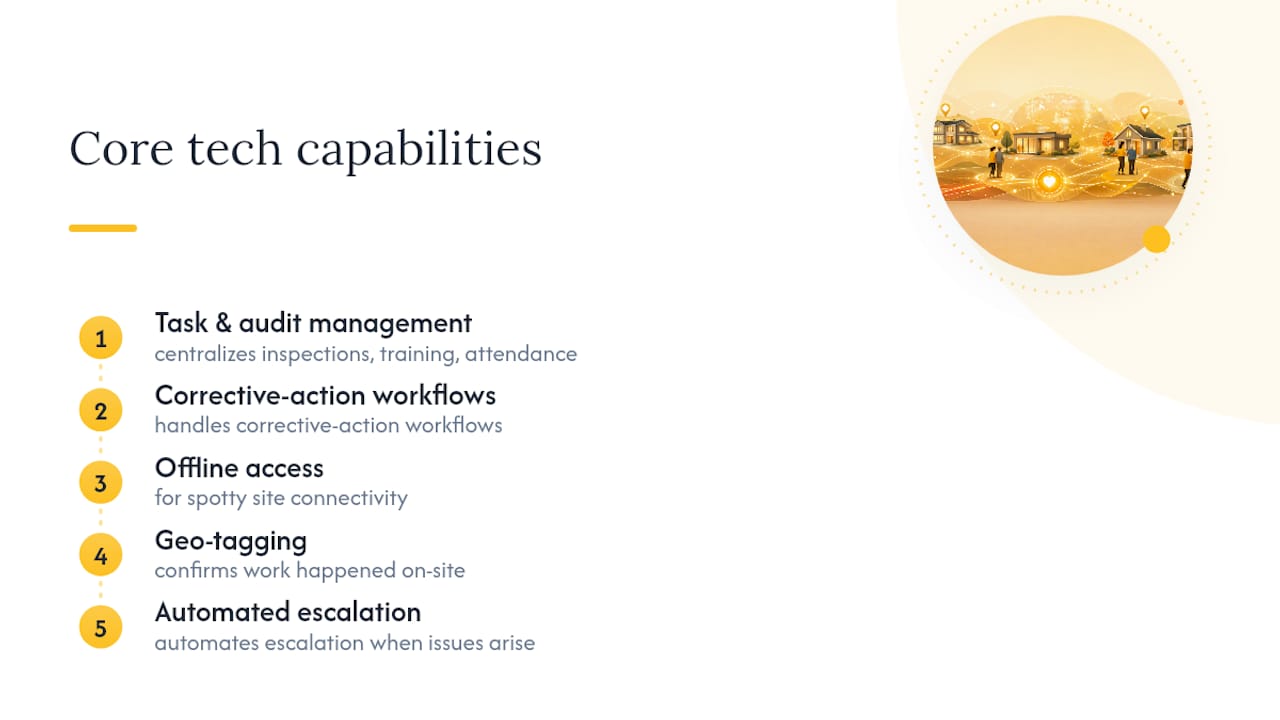
A brittle stack of five loosely connected apps tends to break exactly when volume spikes, which is the worst possible time. A unified execution layer that centralizes inspections, training, and attendance into one view resolves issues faster than manual aggregation across separate tools, largely because nobody has to chase down five different login screens to see the full picture.
That said, ripping out every local system on day one is a mistake. Point-of-sale systems, scheduling tools tied to payroll, and specialized software already working at the site level can stay, as long as they feed data into the central layer cleanly rather than becoming another silo. On access control, keep permissions role-based: a site manager should see their location in full detail, while a regional lead needs the cross-site view and nothing more.
How Should Inventory Be Managed Across Multiple Locations
Inventory is where fragmentation shows up fastest, because stock imbalances are visible to customers within days.
Maintain a location-level ledger that shows committed stock, not just what’s physically on a shelf.
Forecast demand at the individual location level, then run periodic rebalancing between sites instead of ordering by network average.
Set safety stock and reorder points per SKU per location, since a bestseller at one site can be a slow mover at another.
Set transfer thresholds that weigh the cost of moving stock against the cost of holding it, so you’re not shipping a $12 item across three states to avoid a $3 stockout.
Inventory visibility gaps between locations are one of the most common reasons multi-site businesses overspend on stock while still running out of the items that matter.
Turning SOPs and Training Into Reliable Daily Behavior
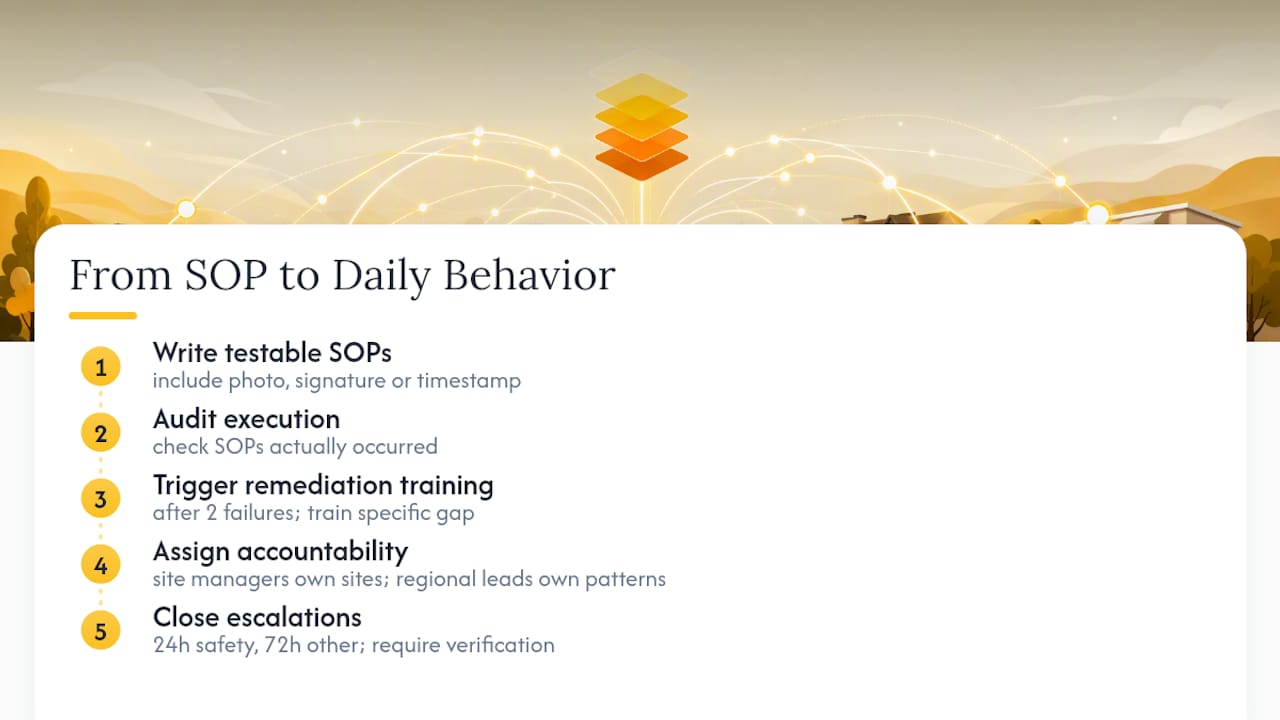
Written policy means nothing if nobody checks whether it happened. Short, testable SOPs with a built-in verification step (a photo, a signature, a timestamp) turn a document into something that can actually be audited.
Training works best as a response, not a calendar event. If a location fails the same audit item twice, that should trigger remediation training automatically, tied to the specific gap rather than a generic refresher course. Accountability needs a clear line too: location managers own execution at their site, regional leads own patterns across sites, and nobody should be guessing who’s responsible when something slips.
Pro Tip: Set a firm closure window for escalations, such as 24 hours for safety issues and 72 hours for everything else, and require a verification step before any issue counts as resolved.
What Metrics and Dashboards Keep a Multi-Location Network Aligned
Five KPIs cover most of what matters: task completion rate, compliance score, corrective-action aging, task SLA compliance, and location-level profitability. Beyond those five, more metrics usually add noise rather than clarity.
Dashboards need two distinct views, since a headquarters leader scanning for outliers needs something different than a location manager checking today’s task list. Exception-based filtering, where the dashboard surfaces only what’s off-track, saves far more time than a dashboard showing every metric at once.
Daily: exception reports flagging anything overdue or failed.
Weekly: summary trends across all locations, sorted by risk.
Monthly: full review tying metrics to coaching plans and resource decisions.
Centralized dashboards that automate report builds let regional leaders spot a declining trend at one location before it becomes a network-wide pattern.
How to Roll Out Multi-Location Operations in Phases
A rollout works best in three phases, each with its own goals and rough cost profile.
Pilot (30 to 90 days). Pick one or two locations, implement three to five SOPs, and track just three KPIs: completion rate, corrective-action aging, and compliance score. Costs here are mostly time, not software.
Regional rollout (3 to 6 months). Expand the working system to a full region, train site managers on the escalation process, and add the inventory rules once the execution layer is proven.
Full scale (6 to 18 months). Roll out network-wide with a continuous improvement loop already running. Budget for licensing, any integration work with existing point systems, and change management, since the biggest cost at this stage is usually the time it takes managers to adopt new habits, not the software itself.
How Outsourced Operational Pods Prove This Playbook Works
Operator experience matters here, because the failure modes described above are the same ones any home care agency owner has lived through firsthand. Ian Dwight Abejo, who co-founded The BOSS System with Amy Abejo, built the company out of running their own agency, not from a whiteboard exercise.
A trained coordinator through an outsourced pod model costs roughly 70% less than the equivalent in-house hire once payroll taxes, benefits, and equipment are factored in. The savings come from structure, not corner-cutting: a full team with backup coverage, not a single employee whose day off becomes your emergency.
The Command Center pod covers calls 24/7, documents every interaction, and only escalates true emergencies, which maps directly onto the pilot phase of any rollout: prove the execution model works on a small scale before scaling it network-wide.
Three Rules I Insist on When Scaling Operations
Every multi-location failure I’ve seen traces back to skipping one of three things. First, pick a single system of record and stop tolerating side spreadsheets, no matter how convenient they feel in the moment. Second, verify daily, not weekly, because a problem caught on day one costs a fraction of what it costs by day seven. Third, treat corrective-action closure as the real KPI, not just task completion, since a completed checklist with an unresolved issue underneath it is a false signal dressed up as progress. Get those three right and the rollout roadmap above practically runs itself.
— Ian Dwight Abejo
How The BOSS System Supports Multi-Location Home Care Agencies
Building 24/7 coverage in-house means hiring, training, and scheduling backup for every shift gap, which is expensive and slow. The BOSS System is the alternative: a trained Command Center pod covers phones nights, weekends, and holidays, backfills call-offs in real time, and documents everything without adding a single line to your payroll tax bill.
Beyond after-hours coverage, dedicated virtual assistants handle staffing coordination, intake, recruiting, credentialing, billing, and bookkeeping, all trained specifically on home care workflows rather than general office tasks. For an agency scaling past two or three locations, outsourcing this layer is usually faster than hiring regionally and cheaper than carrying the overhead of in-house staff sitting idle between call volume spikes. Check current Command Center availability and get a plan that fits your call volume before your next staffing gap turns into a 2 AM phone call you have to take yourself.
Sources
Recommended


Comments