


First 30 Days to HIPAA Remote Staff Compliance for U.S. Agencies

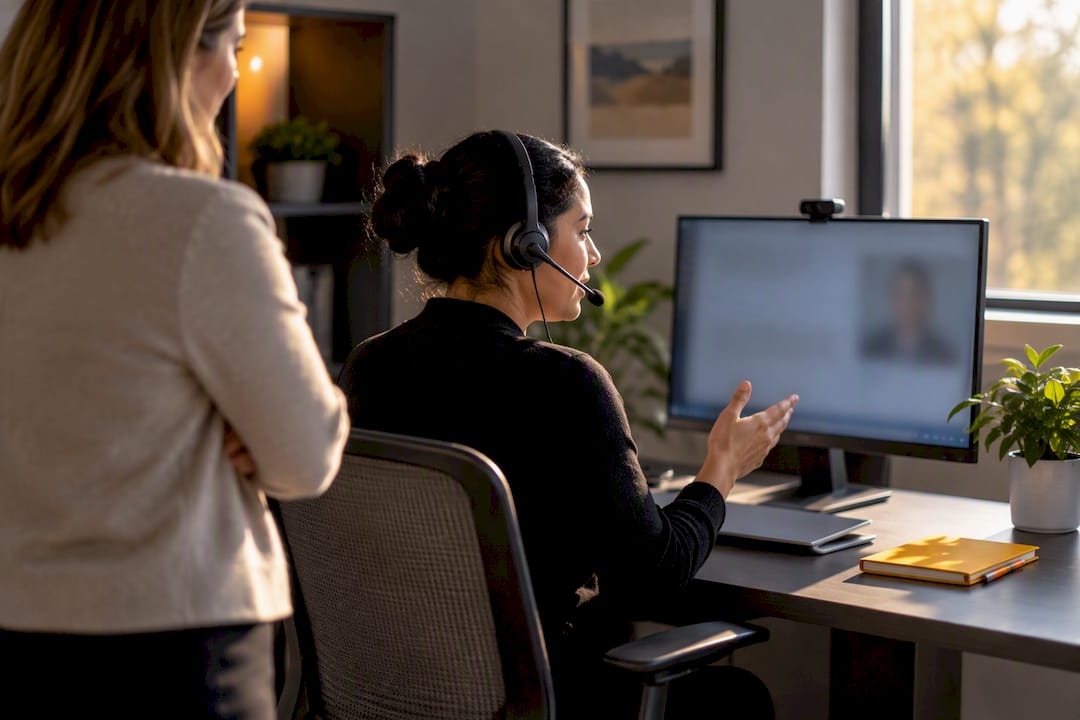
HIPAA applies to remote staff exactly as it applies to anyone in your office. Your organization stays on the hook for protected health information no matter where the person handling it sits. That means signed BAAs with every vendor touching PHI, a documented risk analysis covering home networks and remote endpoints, managed devices with encryption and MFA, VPN or Zero Trust access, minimum-necessary permissions, role-specific training with dated records, reviewed audit logs, and a rehearsed breach-response plan.
TL;DR:
Ensuring vendor compliance through signed BAAs requires ongoing verification of their security measures, such as SOC 2 reports and breach notification contacts.
Device security must include encryption, automatic locks, and multi-factor authentication, with risk-rated controls tailored to each endpoint’s exposure level.
Home office setups should enforce privacy practices like private workspaces, locked storage for PHI, secure Wi-Fi, and no PHI access over unsecured public networks.
Remote staff need role-specific HIPAA training before handling PHI, with records stored centrally and access withdrawn immediately upon role change or departure.
Regular audit logs review, breach response rehearsals, and detailed risk assessments for remote endpoints are essential to maintain and demonstrate HIPAA compliance.
Table of Contents
Building Your HIPAA Remote Staff Compliance Checklist
The first thirty days of a remote-staffing rollout decide whether you’re building compliance or discovering gaps during an audit. Start with the administrative controls, because they govern everything downstream.
Update your remote-work policy. Map it directly to the Privacy, Security, and Breach Notification Rules so there’s no ambiguity about what’s covered when someone logs in from a kitchen table instead of a nurses’ station.
Execute BAAs before granting any PHI access. Every vendor, scheduling platform, and answering service touching protected health information needs a signed agreement, and your contracts should require subcontractors to flow the same obligations downstream.
Lock down access governance. Enforce minimum-necessary permissions, unique login credentials per person, and same-day deprovisioning when someone changes roles or leaves.
Document a risk analysis that actually covers remote work. That means home networks, personal routers, cloud tools, and telehealth platforms, not just your servers and office Wi-Fi.
A signed BAA on file means little if you never check whether the vendor followed through. Industry practitioners flag this constantly: organizations lean on a contract and skip the verification step, then get caught flat when an auditor asks for proof the vendor’s safeguards actually exist. Ask for:
SOC 2 reports or equivalent security attestations
Documentation of the vendor’s own encryption and access controls
A named contact responsible for breach notification on their end
The HHS Privacy Rule guidance is the reference point for minimum-necessary standards and permitted disclosures, and it applies whether the disclosure happens across a hallway or across a home office three states away.
Technical Safeguards: Locking Down Remote Devices and Networks
Device management is where most remote HIPAA programs either hold up or fall apart. A personal laptop with no encryption and a browser full of saved passwords is not an acceptable place for PHI to live, no matter how trustworthy the employee is.
Issue company-managed devices where possible, enrolled in mobile device management (MDM) tools like Microsoft Intune so IT can push patches, enforce encryption, and remote-wipe a lost laptop.
Require full-disk encryption and automatic screen locks after a short idle period, not the default fifteen minutes.
Enforce multi-factor authentication on every account that touches PHI. For high-risk roles like billing or full EHR access, hardware-backed MFA (FIDO2 security keys) beats SMS codes, which can be intercepted.
Route all remote access through an always-on VPN or Zero Trust Network Access setup, and confirm every approved cloud tool uses TLS encryption in transit.
Ban personal email and consumer cloud storage (think personal Dropbox or Google Drive accounts) for anything containing PHI. It sounds obvious until someone forwards a schedule to “make things easier.”
Prohibit local storage of PHI on personal drives and require a documented patch cadence so devices aren’t running six-month-old operating systems.
Pro Tip: Risk-rate your endpoints instead of applying one blanket rule. A recruiter checking a shared calendar doesn’t need the same device assurance as a coordinator with full EHR access. Match the control to the exposure, and you’ll spend your security budget where it actually matters.
What Does a HIPAA-Compliant Home Office Look Like?
A compliant home office doesn’t need to look like a server room, but it does need a few non-negotiables. Remote work shifted where the risk lives. It used to sit behind a locked office door; now it sits in whatever room your staff happens to be working from that day.
Define what counts as an acceptable workspace. A private room with a door is the standard; a kitchen table during family dinner is not, especially for phone-based roles handling caregiver call-offs or patient intake.
Set clean-desk rules: no PHI left visible on a screen or printed page when the workstation is unattended.
Require locked storage for any printed PHI and secure shredding when documents are no longer needed. Better yet, restrict printing of PHI entirely unless there’s a documented, necessary reason.
Use headphones and privacy screens for anyone taking calls involving patient information, and never allow PHI access over public Wi-Fi at a coffee shop or airport.
Require router security at WPA2 minimum, WPA3 where the hardware supports it, a separate network SSID for work traffic, and regular firmware updates.
These controls read as common sense, but they’re also the first thing an OCR investigator asks about after a breach traced to a home network.
How Often Should Remote Staff Complete HIPAA Training?
Remote staff need role-specific HIPAA training before they touch PHI, not sometime in their first month. A generic annual refresher isn’t enough for people working outside direct supervision, where a single mistake in secure sharing or telehealth etiquette can trigger a reportable event.
Require role-specific training tied to what the person actually does. A billing specialist needs different content than an intake coordinator fielding after-hours calls.
Refresh annually at minimum, and immediately after any policy change, new tool rollout, or role shift.
Use scenario-based microlearning for phishing recognition, secure document sharing, and telehealth-specific etiquette, since abstract slide decks rarely stick.
Record every completion with the date, module, and a manager’s signed attestation, stored centrally where you can pull it in minutes, not days.
Gate system access to training completion. No signed record, no login credentials, and access gets revoked the same day someone leaves or changes roles.
One-time onboarding training is a weak point auditors know to probe. Continuous, documented training is what separates a real program from a checkbox exercise.
Building an Audit Trail That Actually Holds Up
Your risk analysis needs to explicitly name remote endpoints, home networks, and every cloud tool your staff touches, then track remediation on anything flagged. The HHS Security Rule guidance requires this documentation, and generic language about “remote work risks” without specifics won’t satisfy an examiner.
Log every access event to systems containing PHI, not just failed logins.
Watch for role-inconsistent access, off-hours activity, and bulk data exports, which are the classic markers of a compromised account.
Schedule recurring log reviews and document who reviewed them, when, and what happened next.
Use automated alerts for high-risk events, but never treat an alert as the end of the process. Someone has to look at it and write down what they found.
Pro Tip: Audit logs that nobody reviews are a compliance liability, not a safeguard. A weekly fifteen-minute review with a written summary beats a sophisticated logging system that generates data no one ever opens.
What’s the Breach Notification Process for a Remote Staff Incident?
A compromised laptop belonging to a remote scheduler needs the same response speed as a stolen server in your main office. The clock on breach notification obligations doesn’t pause because the device was in someone’s home.
Maintain a written breach-response plan naming specific roles, escalation contacts, and timelines. “Call IT” is not a plan.
Contain the incident fast. Remote-wipe the device, preserve forensic evidence before anything gets reset, and scope what data was actually exposed.
Document the risk assessment used to decide whether the incident meets the threshold for reportable breach, including the reasoning, not just the conclusion.
Rehearse the plan with tabletop exercises built around remote scenarios (a lost laptop, a phishing click, a misdirected email) and keep records that the drills happened.
Agencies that skip the rehearsal step usually discover their plan’s gaps during a real incident, which is the worst possible time to learn them.
Documentation Auditors Expect to See
Keep one versioned repository for policies, risk assessments, BAAs, training records, log-review reports, and incident documentation. Scattered files across five different drives are a red flag before an OCR reviewer even asks a question.
Store signed BAAs and vendor verification evidence somewhere accessible on demand.
Retain dated training records, access reviews, and breach-drill logs for your organization’s defined retention period.
Document every access provisioning and deprovisioning action with a timestamp and the approver’s name.
Record any residual risk acceptance where you’ve made an exception, along with the reasoning.
How Specialty-Managed Remote Staffing Supports HIPAA Controls
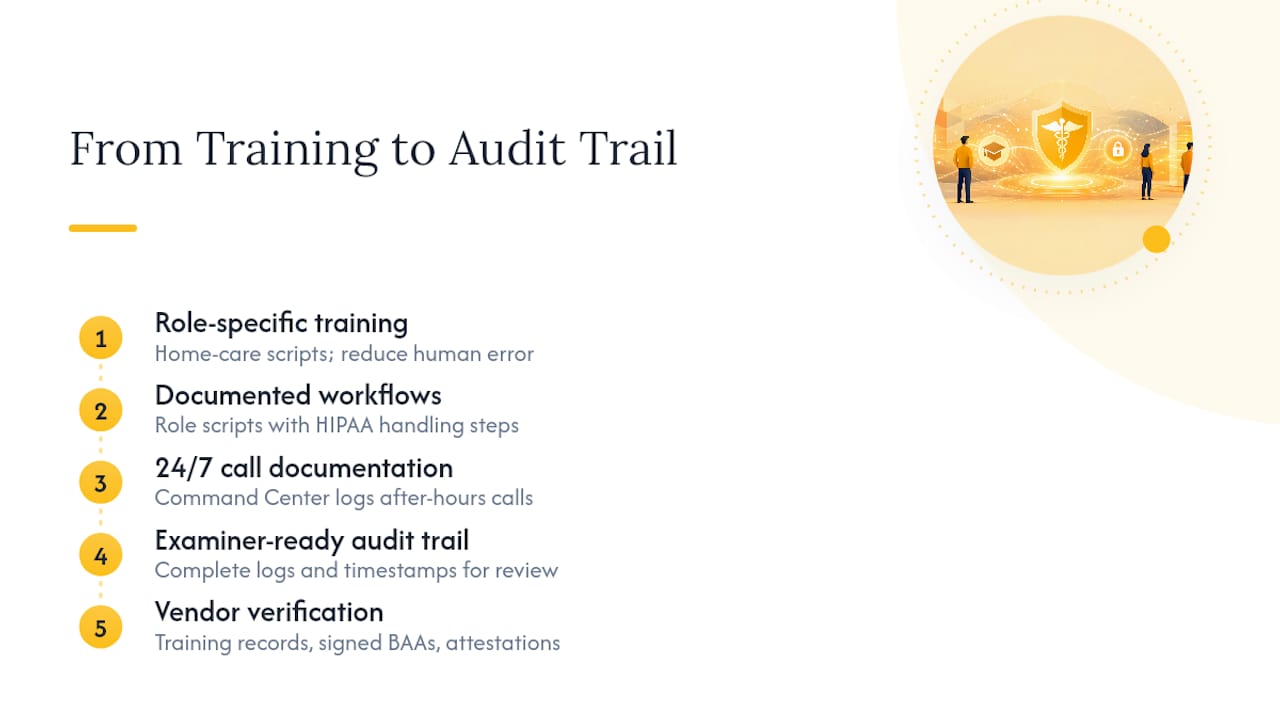
Trained, role-specific staff following documented workflows reduce the human-error risk that drives most breaches. A Virtual Professional trained specifically in home care intake or scheduling follows a script built around HIPAA handling, not general call-center habits. Round-the-clock coverage models, like a Command Center that documents every after-hours call, create the exact audit trail examiners look for. Ask any vendor for training records, signed BAAs, and security attestations before you sign anything.
Where Smaller Agencies Should Focus First
Training, access control, and device management deserve your first dollars, not the compliance binder nobody reads. Treat every vendor as an extension of your own control environment. Home care runs on continuity, and the agencies that survive an audit are the ones that built controls to keep working, not just to look good on paper.
— Ian Dwight Abejo
How The BOSS System Keeps Remote Staff HIPAA-Ready
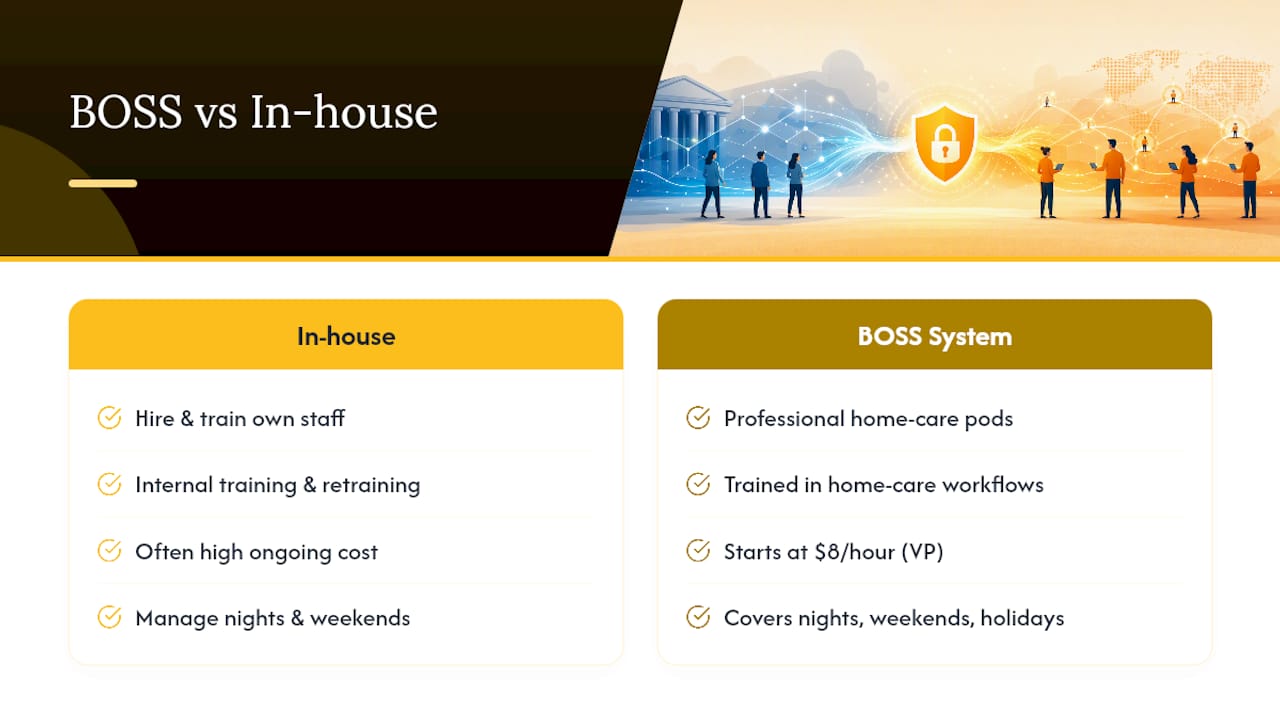
Building every control in this checklist in-house means hiring, training, auditing, and re-training your own remote staff, often at a cost that outpaces what the role brings in. The BOSS System is built differently: its pods are staffed by professionals trained specifically in home care workflows, not general virtual assistants pulled from a generic call center. That specificity is the safeguard. A Virtual Professional starting at $8 per hour follows documented intake and scheduling procedures instead of improvising, and the Command Center Pod covers phones nights, weekends, and holidays with every call documented, so you have the audit trail this article just walked through, built in from day one.
If your agency needs coordinators, recruiters, or billing specialists who already understand home care compliance instead of learning it on your dime, start a free trial or review the full lineup of pods to see which one fits your current gap.
Where to Verify These Requirements Yourself
HHS remote use guidance for Security Rule considerations specific to off-site work
HHS Privacy Rule guidance for minimum-necessary and permitted-disclosure standards
eCFR HIPAA citations (45 CFR) for the exact regulatory text
CalHIPAA’s remote-work compliance guidance for practical, operational checklists
This article is general information, not a substitute for advice from a qualified doctor. Consult a qualified healthcare professional about your own circumstances before acting on anything here.
Sources
FAQ
Does HIPAA Apply to Remote Staff the Same Way It Applies to In-Office Staff?
Yes. HIPAA doesn’t distinguish between where someone works, only whether they create, receive, maintain, or transmit protected health information on your organization’s behalf. If they touch PHI, your Privacy and Security Rule obligations apply exactly as they would in a physical clinic or office.
What Are the Requirements for a HIPAA-Compliant Home Office?
A compliant home office needs a private workspace, locked storage for any printed PHI, secure Wi-Fi (WPA2 minimum, WPA3 preferred), and a policy against accessing PHI over public networks. Employers should also require clean-desk practices and restrict printing unless it’s documented and necessary.
What Percent of US Workers Work Remotely?
Remote and hybrid arrangements have become common across many healthcare-adjacent administrative roles, though the exact national share fluctuates by industry and role type. What matters for compliance purposes isn’t the percentage, it’s that every one of those remote workers touching PHI needs the same controls as someone on-site.
Are There New HIPAA Rules Taking Effect in 2026?
HHS periodically updates guidance under the existing Privacy, Security, and Breach Notification Rules, and organizations should check HHS’s Security Rule page directly for the current regulatory text rather than relying on secondhand summaries. The core obligations covered in this article, risk analysis, access controls, training, and breach response, remain the foundation regardless of specific rule updates.
Can a Virtual Assistant or Remote Staffing Vendor Legally Handle PHI?
Yes, provided your organization signs a Business Associate Agreement with them and verifies their safeguards rather than treating the signed contract as sufficient on its own. Ask for training records, device policies, and security attestations before granting any vendor or staffing partner access to protected health information.
Recommended


Comments